sqlpackage can now skip Windows users and other Azure incompatible objects when exporting a .bacpac
If you have ever tried to export a SQL Server database to a .bacpac file with sqlpackage, you have most likely run into the dreaded SQL71627 error, complaining about a Windows user or login. I ran into it myself a few years ago, and the only workaround was to drop the offending users from the database (or a copy of it) before running the export.
With sqlpackage 170.6.28-preview, that workaround is no longer needed. The Export action has two new properties that let you remove objects that are not compatible with Azure SQL Database while exporting, and write a report of what was removed.
.dacpac vs .bacpac
Before looking at the new options, a quick recap of the two file types, as they are often confused.
A .dacpac file contains the schema of a database - tables, views, procedures, users, permissions and so on - described in a model.xml file. You get a .dacpac by building a SQL Database project, or by running sqlpackage /a:Extract against a live database. You deploy it with sqlpackage /a:Publish, which compares the .dacpac with the target database and generates an incremental script that brings the target up to date. The target can be a new or an existing database, and the existing data in the target is kept. A .dacpac can optionally contain table data as well (/p:ExtractAllTableData=true), but it is normally used for schema only.
A .bacpac file contains both the schema and the data from all tables in the database. You create it with sqlpackage /a:Export and restore it with sqlpackage /a:Import, which always creates a new database (or imports into an empty one). Think of it as a logical, portable backup. Unlike a native .bak backup, it can be restored to a different SQL Server version and to Azure SQL Database.
Both are just zip files, so you can rename them to .zip and have a look inside. A .bacpac has a Data folder with the table data in BCP format next to the model.xml file.
Microsoft has more details in the data-tier applications documentation.
Why the export fails
The .bacpac format was designed for moving databases to and from Azure SQL Database. For that reason, the Export action always validates the schema against Azure SQL Database, even if you plan to import the .bacpac to another SQL Server instance. Any object that is not supported in Azure SQL Database makes the export fail, and the most common offenders are Windows users and logins.
Here is an export of a LocalDB database with a Windows user:
sqlpackage /a:Export /scs:"Data Source=(localdb)\mssqllocaldb;Initial Catalog=TestBed3;Integrated Security=false;Encrypt=false" /tf:TestBed.bacpac

Connecting to database 'TestBed3' on server '(localdb)\mssqllocaldb'.
Extracting schema
Extracting schema from database
Resolving references in schema model
Validating schema model
Validating schema model for data package
Validating schema
*** Error exporting database:One or more unsupported elements were found in the schema used as part of a data package.
Error SQL71627: The element User: [winadmin] has property AuthenticationType set to a value that is not supported in Microsoft Azure SQL Database v12.
Error SQL71627: The element Login: [MYPC\Administrator] has property IsMappedToWindowsLogin set to a value that is not supported in Microsoft Azure SQL Database v12.
The DacFx issue SqlPackage - option to skip Windows logins (microsoft/DacFx#426) was originally reported for a SQL Server connected to Azure Arc, where the export failed on NT AUTHORITY\SYSTEM. But it is not an Azure Arc issue - any database with a Windows authenticated user will fail in the same way.
The new options
sqlpackage 170.6.28-preview adds these two properties to the Export action:
/p:ExcludePlatformIncompatibleObjects=({None|SqlAzureV12} 'None')

Specifies the target platform whose incompatible objects should be excluded from the exported package and included in the compatibility report. Use None to disable exclusion

/p:CompatibilityReportPath=(STRING)

Specifies the path for the JSON Azure compatibility report. When not specified, no JSON report file is written.
The default for ExcludePlatformIncompatibleObjects is None, so the existing behaviour does not change unless you opt in. Set it to SqlAzureV12 to have incompatible objects removed from the exported package. The source database is not modified.
Running the same export again with the new options:
sqlpackage /a:Export /scs:"Data Source=(localdb)\mssqllocaldb;Initial Catalog=TestBed3;Integrated Security=false;Encrypt=false" /tf:TestBed.bacpac /p:ExcludePlatformIncompatibleObjects=SqlAzureV12 /p:CompatibilityReportPath=testbed3.json

Connecting to database 'TestBed3' on server '(localdb)\mssqllocaldb'.
Extracting schema
Extracting schema from database
Resolving references in schema model
Validating schema model
Validating schema model for data package
Validating schema
Prune Azure SQL Database incompatible objects
Processing tables for data extraction
Exporting data from database
Exporting data
Processing Export.
Processing Table '[dbo].[Artist]'.
Processing Table '[dbo].[PlaylistTrack]'.
Processing Table '[dbo].[InvoiceLine]'.
Processing Table '[dbo].[Customer]'.
Processing Table '[dbo].[Employee]'.
Processing Table '[dbo].[Track]'.
Processing Table '[dbo].[MediaType]'.
Processing Table '[dbo].[Genre]'.
Processing Table '[dbo].[Playlist]'.
Processing Table '[dbo].[Invoice]'.
Processing Table '[dbo].[Album]'.
Processing Table '[sqlproj].[DeploymentHistory]'.
Azure Compatibility Report:
Excluded objects: 3
Warnings: 2

Successfully exported database and saved it to file 'TestBed.bacpac'.
Notice the new "Prune Azure SQL Database incompatible objects" step, and the short summary at the end.
The compatibility report
If you specify CompatibilityReportPath, you also get a JSON file with the details. This is the report from the export above:
{
  "exportDate": "2026-10-16T07:59:27.1555006Z",
  "sourceDatabaseName": "TestBed3",
  "sourceServerVersion": "Microsoft SQL Server 2025 (RTM-CU8-GDR) (KB5122769) - 17.0.4085.5 (X64) \n\tAug 26 2026 17:29:26 \n\tCopyright (C) 2025 Microsoft Corporation\n\tExpress Edition (64-bit) on Windows 10 Enterprise 10.0 \u003CX64\u003E (Build 26200: ) (Hypervisor)\n",
  "targetPlatform": "AzureSqlDatabase",
  "summary": {
	"totalObjectsProcessed": 257,
	"objectsExcluded": 3,
	"warningsGenerated": 2
  },
  "excludedObjects": [
	{
	  "objectType": "SqlLogin",
	  "schemaName": null,
	  "objectName": "MYPC\\Administrator",
	  "excludedBecause": "DirectlyUnsupported",
	  "reason": "Windows authentication logins are not supported in Azure SQL Database.",
	  "recommendation": "Create a contained database user or use Microsoft Entra authentication.",
	  "warningCode": "ASDB_WINDOWS_LOGIN",
	  "dependsOn": []
	},
	{
	  "objectType": "SqlUser",
	  "schemaName": null,
	  "objectName": "winadmin",
	  "excludedBecause": "DirectlyUnsupported",
	  "reason": "Windows-authenticated database users are not supported in Azure SQL Database.",
	  "recommendation": "Create a contained database user or use Microsoft Entra authentication.",
	  "warningCode": "ASDB_WINDOWS_USER",
	  "dependsOn": []
	},
	{
	  "objectType": "SqlPermissionStatement",
	  "schemaName": "Grant.Connect.Database",
	  "objectName": "dbo",
	  "excludedBecause": "DependsOnExcludedObject",
	  "reason": "Windows authentication logins are not supported in Azure SQL Database.",
	  "recommendation": "Create a contained database user or use Microsoft Entra authentication.",
	  "warningCode": "ASDB_WINDOWS_LOGIN",
	  "dependsOn": [
		"MYPC\\Administrator",
		"winadmin"
	  ]
	}
  ],
  "warnings": [
	{
	  "objectType": "SqlDatabaseOptions",
	  "schemaName": null,
	  "objectName": null,
	  "warningCode": "SqlDatabaseOptions.IsTornPageProtectionOn",
	  "message": "Property \u0027IsTornPageProtectionOn\u0027 was reset to its target-platform default. Property is not supported on the target platform.",
	  "recommendation": "Review the Azure SQL Database compatibility report."
	},
	{
	  "objectType": "SqlDatabaseOptions",
	  "schemaName": null,
	  "objectName": null,
	  "warningCode": "SqlDatabaseOptions.PageVerifyMode",
	  "message": "Property \u0027PageVerifyMode\u0027 was reset to its target-platform default. Property is not supported on the target platform.",
	  "recommendation": "Review the Azure SQL Database compatibility report."
	}
  ]
}
A few things worth noting:
excludedObjectslists everything that was left out of the .bacpac. TheexcludedBecausevalue tells you if the object itself is unsupported (DirectlyUnsupported), or if it was removed because it depends on an excluded object (DependsOnExcludedObject). In this case theGRANT CONNECTpermission for the Windows user was removed as well, as it would be invalid without the user.- Each entry has a
reasonand arecommendation, so the report doubles as a to-do list for setting up access in the new database, for example with Microsoft Entra authentication or contained database users. warningslists properties that were not removed, but reset to the Azure SQL Database default value - here two database options related to page verification.
The report is a good thing to keep with the .bacpac file, so you know exactly what is missing after the import.
Getting the preview
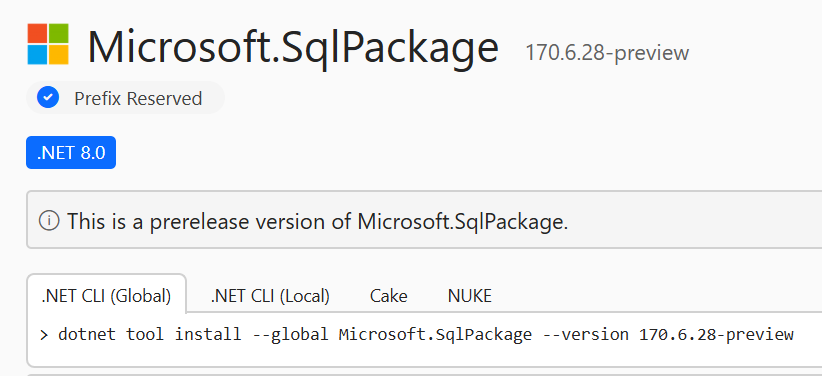
The feature is in the 170.6.28-preview release of sqlpackage. If you use the .NET tool, you can install or update to the preview like this:
dotnet tool install -g microsoft.sqlpackage --version 170.6.28-preview
Summary
Exporting a database with Windows users to a .bacpac no longer requires you to clean up the database first. Add /p:ExcludePlatformIncompatibleObjects=SqlAzureV12 to the Export command to leave out objects that Azure SQL Database does not support, and add /p:CompatibilityReportPath to get a JSON report of what was excluded and why.
As this is a preview, please give it a try and report any issues or feedback in the DacFx GitHub repository.